

What You Build
Custom Apps
Build React interfaces that run as workspace pages and connect to Prisme.ai runtime context.
Automations
Create event-driven workflows, webhook endpoints, scheduled jobs, and backend orchestration.
Integrations
Install apps, configure imports, call external APIs, and connect enterprise systems.
Operational Traces
Follow every request, event, and automation run through Activity and correlation IDs.
Main Workspace Areas
Overview
Overview
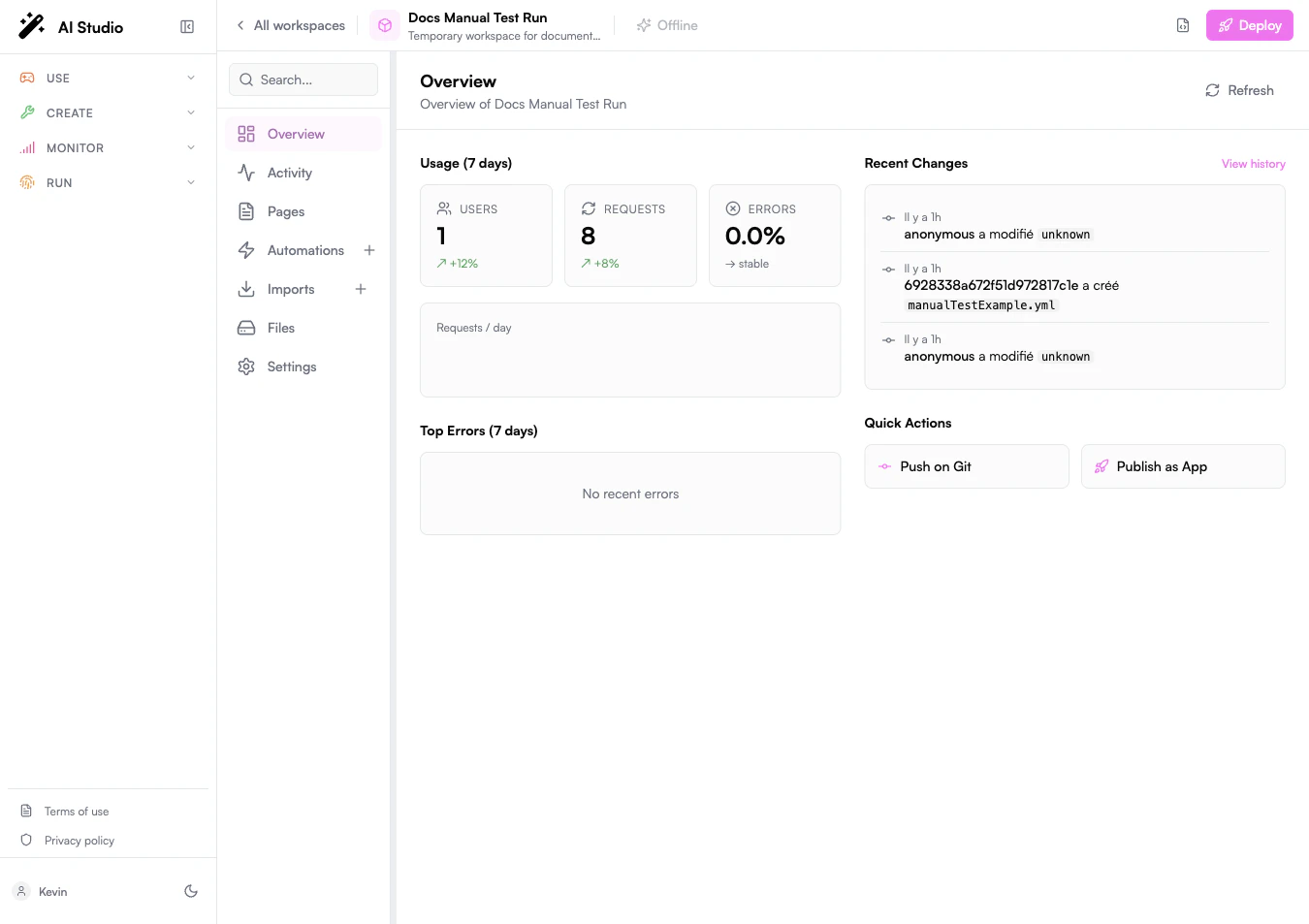
The workspace dashboard summarizes recent usage, recent changes, top errors, and quick actions such as publishing.
Activity
Activity
Activity is the runtime trace explorer. Use it to filter events, inspect correlation IDs, and debug a full page-to-automation flow.
Pages
Pages
Pages are source-based React applications. Builder provides a file tree, source editor, native preview, desktop/tablet/mobile preview controls, and read-only deployed bundle previews.
Automations
Automations
Automations contain backend logic. They can run from events, schedules, endpoints, or manual tests from the editor.
Imports
Imports
Imports manage installed apps and extension packages, including app configuration and custom code.
Files
Files
Files contains uploaded workspace assets. It is separate from the page source tree used in Pages.
Settings
Settings
Settings contains workspace configuration, sharing, secrets, RBAC, versioning, and publishing options.
Typical Workflow
1
Create or open a workspace
Start from Builder and choose a workspace. The workspace is the container for pages, automations, imports, files, secrets, activity, and deployment settings.
2
Build the frontend
Open Pages, initialize the React template if needed, edit the source in Code, and verify behavior in Preview.
3
Build backend logic
Open Automations to create endpoints, event handlers, scheduled workflows, or internal orchestration steps.
4
Connect the page and backend
From the page, call automation endpoints through HTTP or emit/listen to workspace events through the injected SDK.
5
Trace and debug
Use Activity to follow the resulting trace. Correlation IDs connect page actions, events, automation instructions, errors, and outputs.
6
Deploy
Publish the workspace when the page and automations are ready. Deployed page bundles can be inspected as read-only previews from Pages.
Development Modes
- Configure
- Code
- Observe
Use the Builder UI to create workspaces, automations, imports, files, secrets, and deployment settings without leaving the product.
Builder in the Platform
Builder is usually paired with the newer Prisme.ai products:Agent Creator
Build and test agent behavior, then connect agents to Builder workflows.
Knowledges
Use knowledge bases from custom pages and automations.
Governe
Apply platform roles, product access, model policy, and organizational controls.
Insights
Use analytics feedback to improve agents, prompts, and workflows.
LLM Gateway
Route model usage through governed providers and model policies.
Storage
Store files, app state, and workspace data used by Builder experiences.
Next Steps
Pages
Build source-based React interfaces in Builder.
Automations
Create backend logic and workflows.
Testing & Debugging
Trace runtime behavior with Activity and correlation IDs.
Framework Architecture
Understand the Builder architecture.