

Before You Begin
Before diving in, make sure you have:- A Prisme.ai account with appropriate access permissions
- A basic understanding of your organization’s AI goals and use cases
- Familiarity with the data sources you might want to connect to your AI agents
Starting Your Journey
1
Log in to your Prisme.ai account
Access your Prisme.ai instance using the credentials provided by your administrator. If you’re using a self-hosted version, you’ll need the specific URL for your deployment.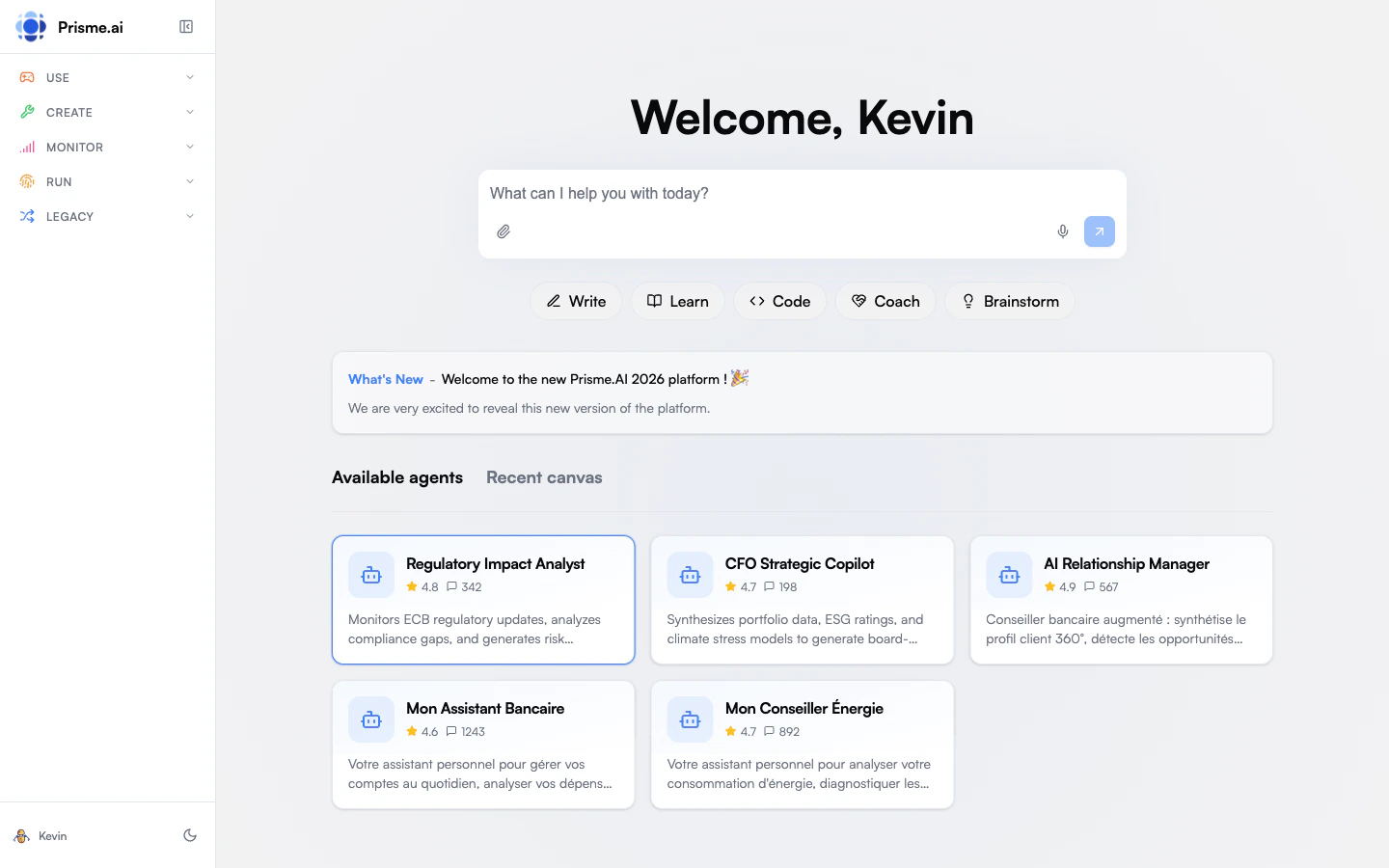
2
Explore the dashboard
Upon logging in, you’ll see the main dashboard that provides access to all Prisme.ai products. Take some time to familiarize yourself with the navigation and available options.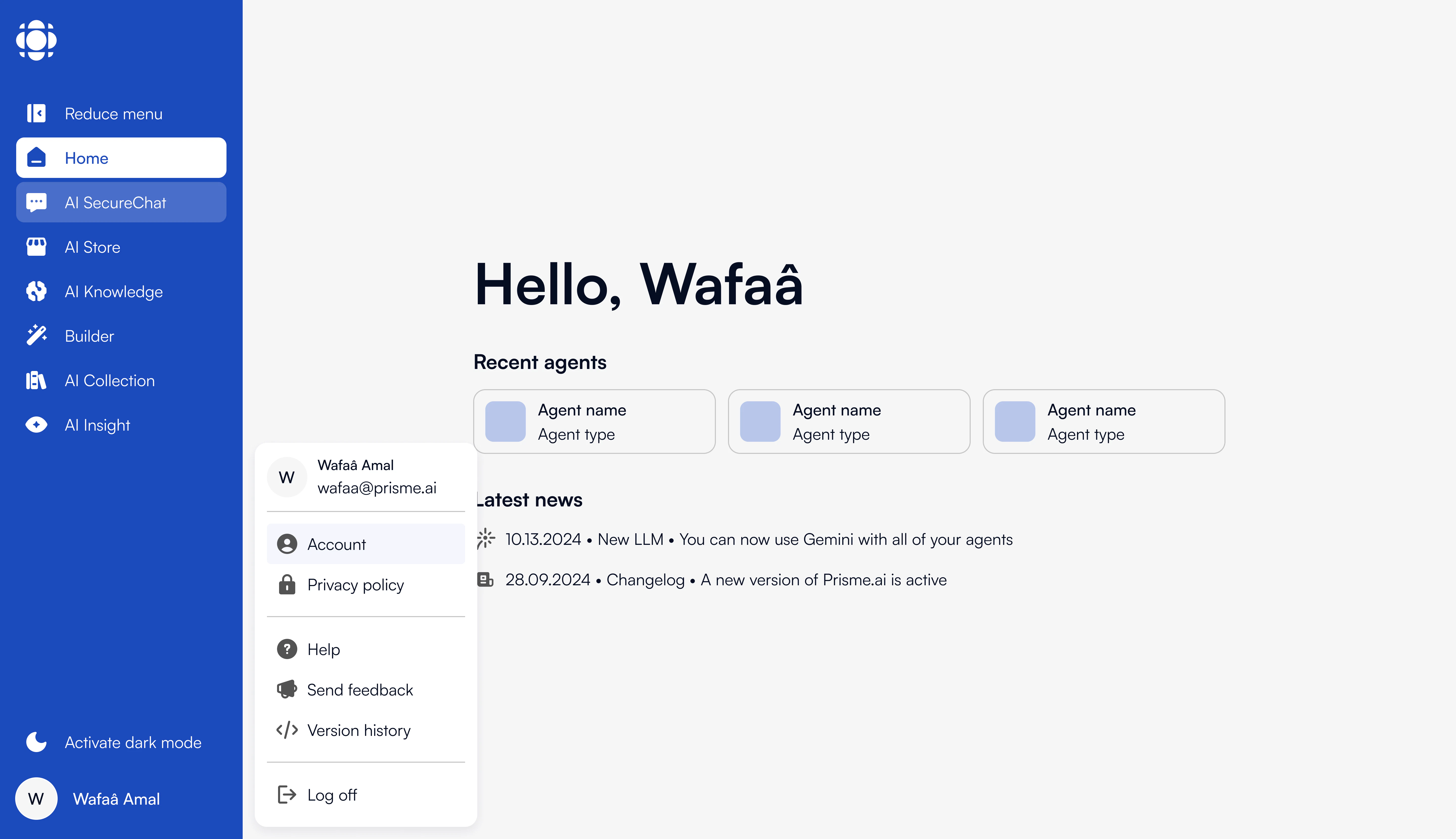
- Recently accessed agents
- Platform usage statistics
- Quick access to key products
- Notifications and updates
3
Try Chat
Start with Chat to experience conversational AI in a secure environment. This is the simplest way to begin interacting with Prisme.ai.
4
Explore Agent Creator
Visit Agent Creator to discover pre-built agents that might address your needs. You can use these as-is or as starting points for your own custom agents.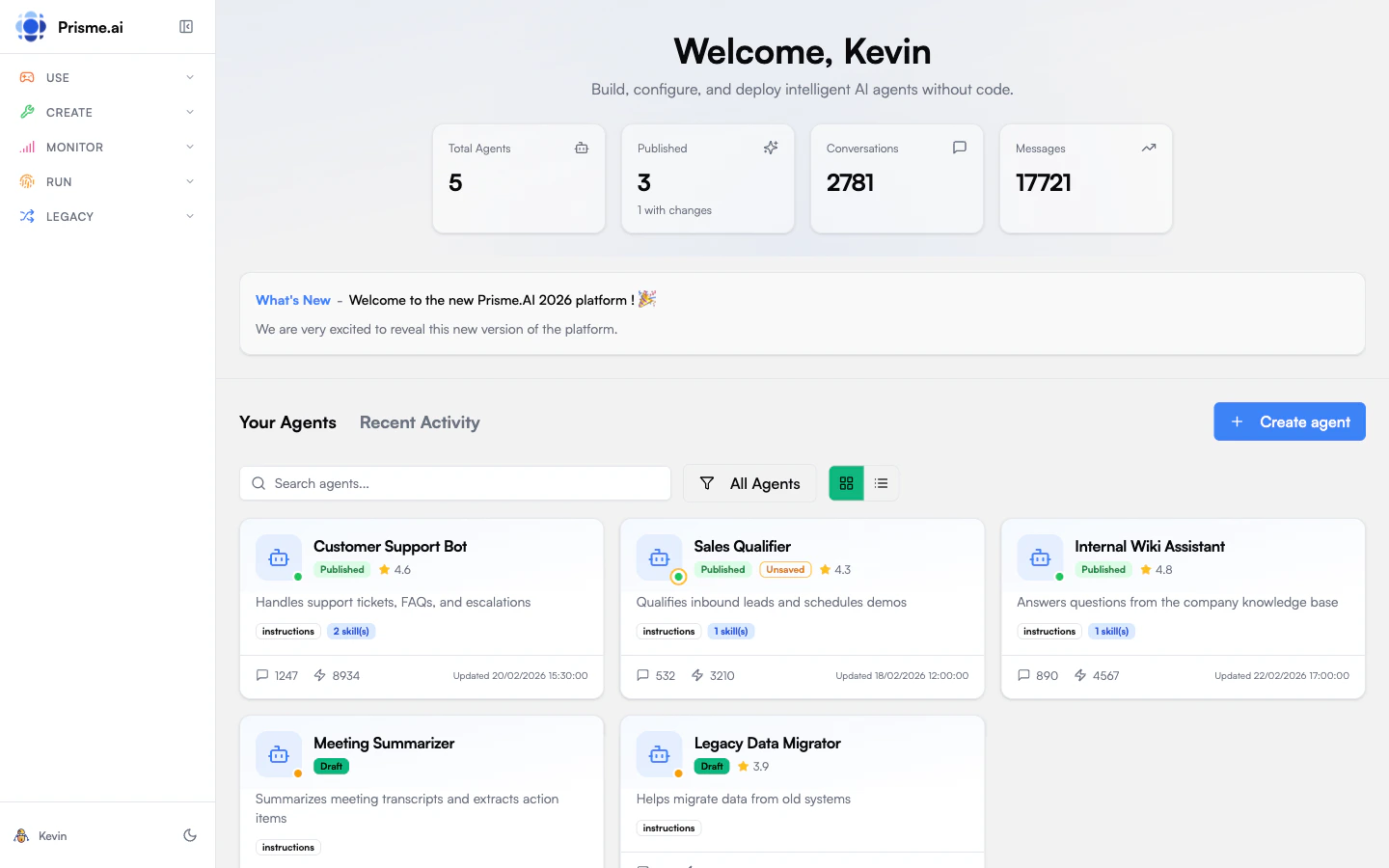
5
Create your first simple agent
Follow our Creating Your First Agent tutorial to build a basic agent. This hands-on experience will help you understand the core concepts of agent creation.
Next Steps Based on Your Role
Choose your path based on your role in the organization:- End User
- Business User
- Developer
- Administrator
As an end user, focus on:
- Mastering Chat for daily tasks
- Discovering useful agents in Agent Creator
- Learning how to effectively prompt AI for best results
Common First Tasks
Here are some common tasks that users typically want to accomplish when starting with Prisme.ai:Upload documents to create a knowledge base
Upload documents to create a knowledge base
- Navigate to Knowledges
- Create a new knowledge base
- Upload your documents (PDF, Word, Excel, PowerPoint, etc.)
- Configure chunking and embedding settings
- Deploy your knowledge base to an agent
Customize an agent from Agent Creator
Customize an agent from Agent Creator
- Browse Agent Creator for an agent that matches your needs
- Clone the agent to create your own version
- Modify the prompts and settings
- Connect to your knowledge base if needed
- Test and deploy your customized agent
Connect to external data sources
Connect to external data sources
- Navigate to Builder
- Set up connection to your data source (database, API, etc.)
- Configure authentication
- Create queries or data retrieval workflows
- Test the connection with simple prompts
Getting Help
If you need assistance at any point:- Use the in-app help features (look for the ”?” icon in most screens)
- Check our documentation for detailed guides
- Contact your organization’s Prisme.ai administrator
- For enterprise customers, reach out to your dedicated support contact